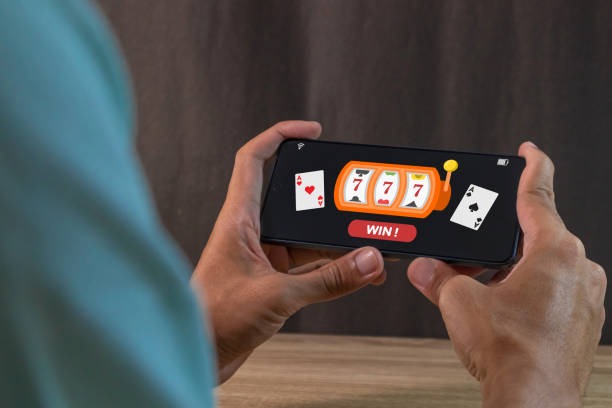
Our kelinci77 app and platform options
Installation steps for kelinci77
- Download the APK or visit the web platformAndroid users navigate to our download page; iOS and web users go directly to our login portal.
- Install the app or bookmark the siteAndroid requires permission to install from unknown sources (enable in device settings first); iOS and web users skip this step.
- Register your accountProvide email, username, password, and mobile number; accept our terms and complete email verification.
- Verify identity and fund your accountSubmit KYC documents (ID, address proof) and deposit using DANA, e-wallet, mobile banking, local payment, or bank transfer to begin.

Native app versus browser experience
Our Android app offers offline caching for match schedules, push notifications for live events and promotion updates, and faster load times compared to mobile browsers. The app integrates directly with your device's notification system, so you receive alerts for Liga 1 kick-offs, live-dealer table availability, and account security notices—even when you're not actively browsing. App users also benefit from a streamlined interface optimized for touch, reducing menu taps and making cashout requests or deposit confirmations quicker. Browser users, meanwhile, access the full kelinci77 platform instantly without installation, which suits users who prefer minimal storage use or frequent device changes. Both paths support live football coverage, multi-camera studio tables, slot games, and esports markets with identical features; the choice depends on your device storage, notification preference, and usage patterns.
Device compatibility and system requirements
Android users need version 7.0 or later; older devices may not support our app's security features or performance optimizations. iOS users require iOS 12 or later for browser access and full platform compatibility. Our responsive design adapts to screen sizes from 4 inches (older phones) to 6.7 inches (tablets), so portrait and landscape orientation both work smoothly. We support all major Android manufacturers—Samsung, Xiaomi, Oppo, Vivo, Nokia—and both iPhone and iPad. Before downloading the Android APK, confirm your device storage has at least 50 MB free; our app expands to roughly 80–120 MB after installation and initial game data caching.
Troubleshooting common installation issues
If Android installation fails, first enable "Unknown sources" in Settings → Security, then retry the download. If your device shows a certificate warning, this is normal during our app's signature verification; tap "Install anyway" to proceed. Browser users experiencing slow load times should clear cookies and cached data, then refresh the page. If push notifications don't arrive, confirm kelinci77 has notification permission in your device's app settings and that your internet connection is stable. For iOS users, ensure you're using a recent browser version (Safari 12+, Chrome 80+) and have JavaScript enabled. Account login issues often resolve by clearing browser history, restarting the device, or requesting a password reset via email. Our support team is available via chat and email if installation or login problems persist after these steps.

Data security, permissions, and account protection
We at kelinci77 request only essential permissions: device storage (for app installation and game data), internet access (to connect to our servers), and notifications (to alert you of account activity and live events). We never access your camera, microphone, contacts, or location without explicit consent, and those permissions are optional. Your login credentials, account balance, and payment information are encrypted in transit using industry-standard HTTPS protocols. When you submit KYC documents (passport, driver's license, utility bill), our system encrypts them, stores them separately from your account login, and retains them only as long as required by applicable law. Two-factor authentication via email is available for additional account security. If you suspect unauthorized access, you can reset your password immediately, and our support team will investigate any suspicious withdrawal requests. Device permissions are reviewed yearly; disable any permissions you no longer want through your phone's app settings without losing access to your kelinci77 account.
App advantages
- Push notifications for Liga 1 kicks and live-table updates
- Offline schedule caching for tournament calendars
- Faster load times and optimized touch interface
Browser strengths
- No installation required; works on any device immediately
- Minimal storage footprint
- Automatic updates with no user action needed
Payment methods and deposit flow on mobile
Our kelinci77 mobile platform supports online payment, e-wallet, mobile banking, local payment, online payment, e-wallet, and major Indonesian banks (mobile banking, local payment, online payment, e-wallet). To deposit, navigate to the "Cashier" or "My Account" section, tap "Deposit," select your preferred method, and enter your desired amount. mobile banking and local payment payments complete within seconds; bank transfers may take 1–2 business hours depending on your bank's processing. After deposit confirmation, your account balance updates immediately, and you can place bets on Liga 1 fixtures, join a live blackjack table, or claim a weekly cashback offer straight away. Withdrawal requests follow the same flow: select "Withdraw," choose your destination account, enter the amount, and our team processes requests subject to standard verification windows. For support with deposits or account-recovery issues during Idul Fitri or other busy periods, our multilingual support team responds via chat and email.